Topic 6 of 6 · Settings
Audit log
Admins can use Settings > Audit log to find who changed a record and review its history.
- Search for a record or person, or filter by person, category and dates.
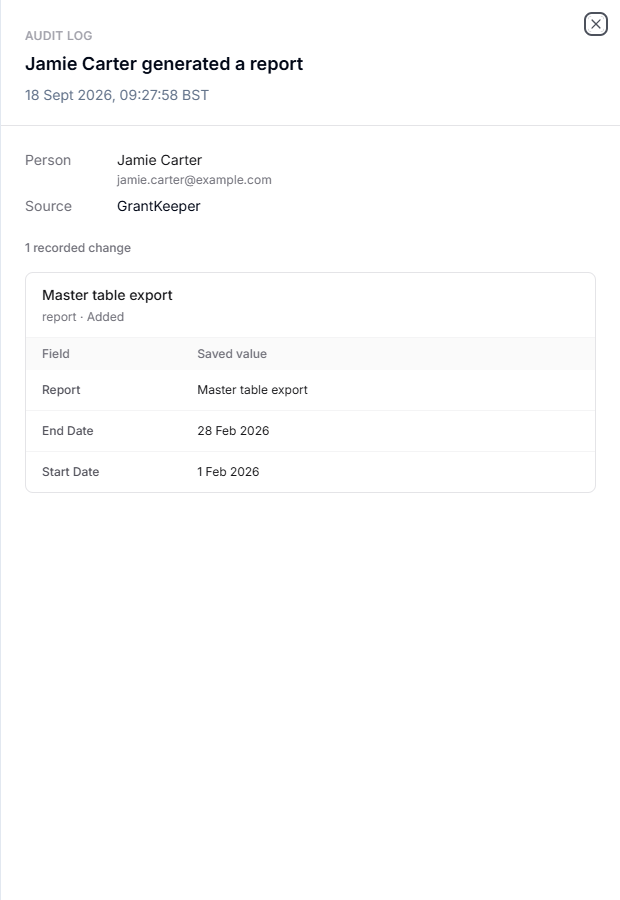
- Open an event to see its source, time and recorded changes.
- Review the recorded values; update events can show before and after values. Follow a record link where one is available.
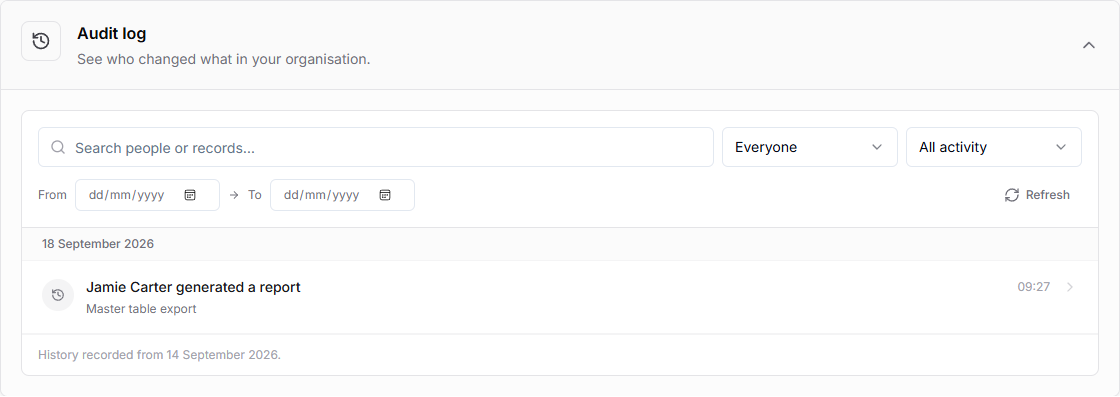
History starts from the recording date shown in the log; older changes are not reconstructed. Some external or system events do not identify a person. Deleted records can retain history even though the original can no longer be opened. The log does not restore or undo changes.