Topic 9 of 12 · Review an Import Batch
Money In Review
Money-in rows can be refunds, reversals, transfers, grant receipts or other credits. Review them so a refunded expense is not claimed at its original amount.
| Situation | What happens |
|---|---|
| Full refund matched to a charge in this batch | Both rows are withheld when saving to Tables. |
| Partial refund | The charge stays, with the refund recorded against it. A £100 charge with a £30 refund has a £70 net cost. |
| Refund of an expense already saved | Use Check saved tables, review the original entry and confirm the match to record the refund against it. |
| Transfer, income or another non-expense credit | Check the classification. The credit is not saved as an expense. |
| Unmatched credit | Resolve it before saving where possible; otherwise its original expense may remain at the unreduced amount. |
The panel separates Needs review, Matched, and resolved credits. For a row needing review, use Find match to pair it with a charge in this batch, Check saved tables for an earlier expense, Classify to record what it is, or Dismiss after deciding no action is needed. Multiple rows can be dismissed together.
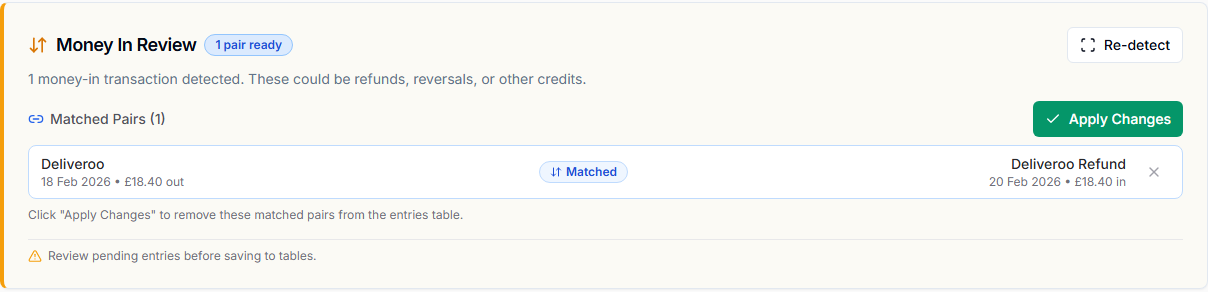
Review automatic classifications too. Unpair an incorrect match, or use Undo on a resolved row to return it to review. Matching runs again when saving; unresolved credits trigger a warning with the option to return to review or save anyway.
Full reversals withheld before saving differ from refunds recorded against saved entries. Saved entries retain their original amounts and refund information; see Reading expense exports for the net totals.