Topic 7 of 12 · Review an Import Batch
Review VAT
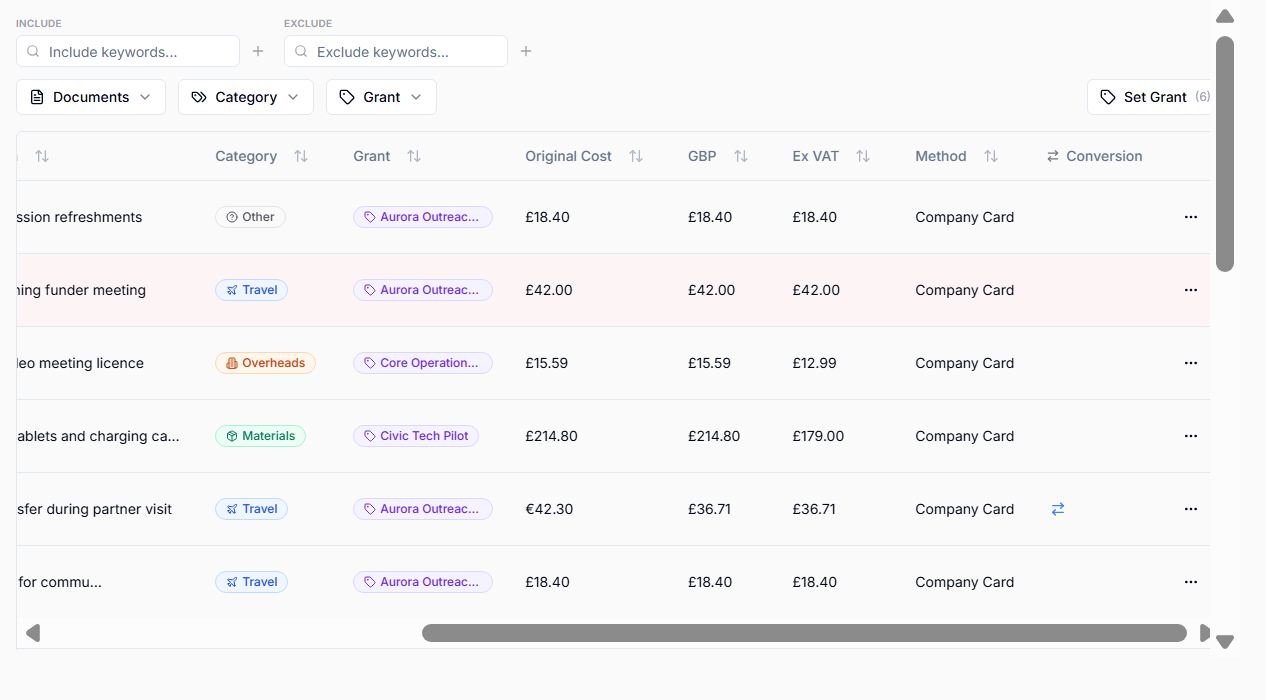
VAT is set for each entry during the import, so there is no VAT queue to work through. It may come from:
- import data,
- AI analysis of receipts,
- manual user edits.
Each receipt is read once during the import, and the entry's VAT is worked out from that reading:
- If the receipt prints a VAT amount, that amount is used, including for mixed baskets and part payments.
- If it prints no VAT amount but shows a UK VAT-registered seller and a standard-rated purchase (a restaurant meal, hardware, software), VAT is taken as one sixth of the charge.
- Train and bus fares, cold food from a shop, books, overseas purchases, foreign taxes and documents that say they are not tax invoices get no VAT.
- If the receipt does not match the bank charge or cannot be read, the entry keeps the VAT it was imported with until the receipt is reviewed.
- A card slip or app screen that shows no VAT does not remove VAT that came with a Revolut export.
Hover over an ex-VAT amount to see where its VAT came from. Adding, replacing or keeping a receipt updates the entry's VAT automatically.
To change VAT, edit the entry. GrantKeeper marks a manual change as manual and does not overwrite it. Review VAT carefully for travel, overseas vendors, marketplace invoices, and receipts with unclear tax information.